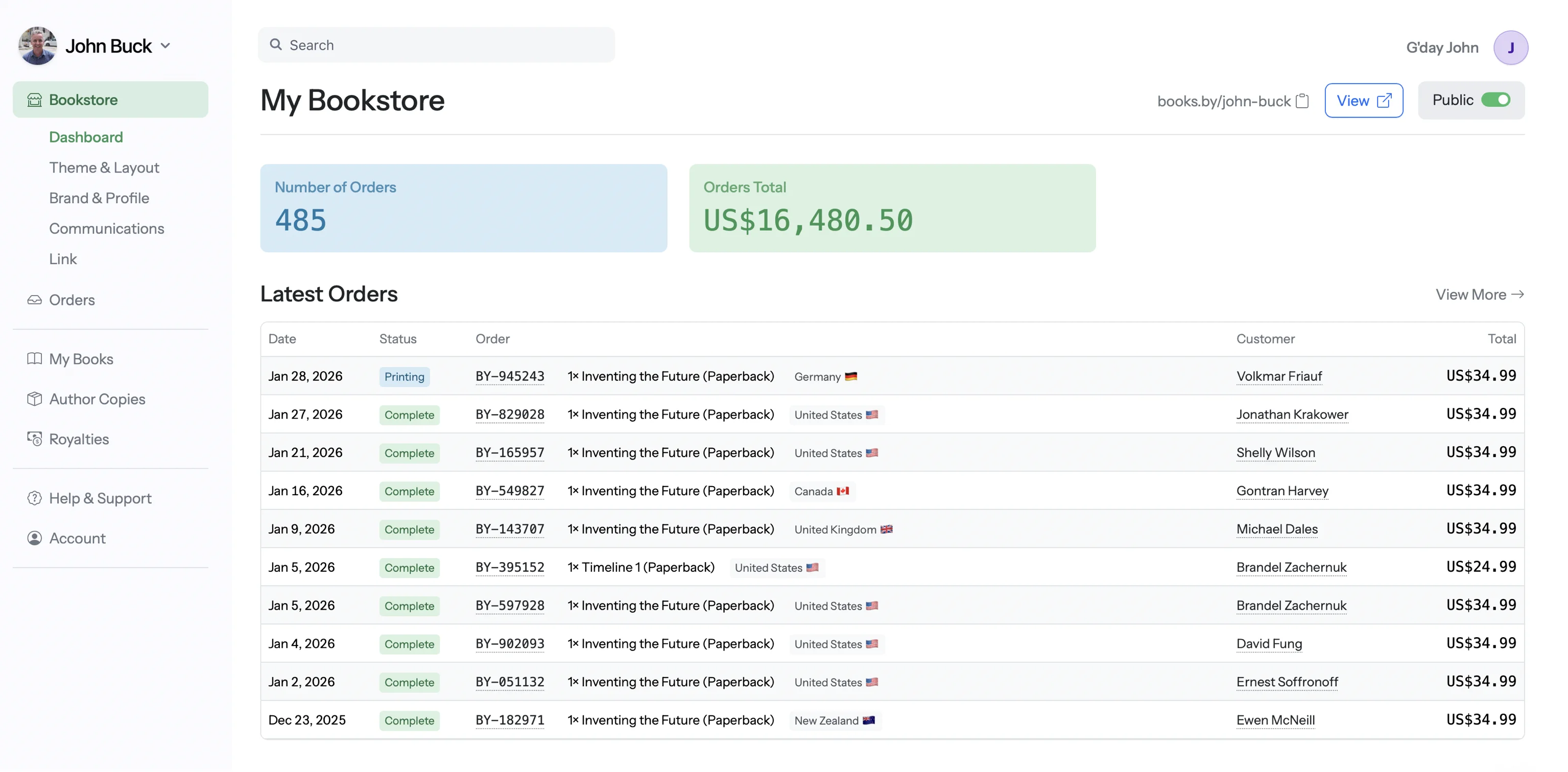
On a $20 paperback sold through Amazon, you take home roughly $3–$5. Sell that same book directly to a reader through your own website, and you keep $10–$12.
Same book. Same price. Same reader. Three to four times more money in your pocket.
This isn't a loophole. It's simple economics. Amazon takes a 40–65% cut of your book's retail price. When you sell direct, there's no retailer margin. You pay for printing and payment processing, and keep everything else. Based on 12,000+ books published through Books.by, authors who sell direct keep an average of $4.73 more per paperback sale compared to Amazon.
This guide covers exactly how to sell books on your own website: platforms, costs, technical setup, marketing, and a strategy for maximizing your income. We include an interactive calculator you can use with your own numbers, and we won't sugarcoat the tradeoffs.
Why Sell Books Directly? The Case for Going Direct-to-Reader
Selling books online direct isn't just about money — though the money is compelling. There are four fundamental reasons the most successful indie authors are building direct sales channels.
The Customer Data Advantage
Customer data ownership is the most underrated advantage of selling direct. When someone buys your book on Amazon, you know a sale happened. That's it. You don't know who bought it, their email, their location, or whether they've bought from you before.
When someone buys direct, you get their email address. This single piece of data transforms your business. You can email them when your next book launches (the highest-converting marketing channel), offer signed editions or bundles, send bonus content to build loyalty, run pre-orders with guaranteed day-one sales, and build an audience that travels with you — regardless of what Amazon, TikTok, or any other platform does with its algorithm next week.
Higher Margins: The Numbers
Let's make this concrete. Consider a 250-page paperback with a $19.99 retail price. The print cost via POD is approximately $4.50. Here's what you actually keep on each platform:
- Amazon KDP: 60% royalty = $12.00, minus print cost $4.50 = $7.50 per sale (but often lower after expanded distribution cuts)
- IngramSpark: You set the wholesale discount (typically 55%). At 55% off $19.99 = $9.00 wholesale, minus $4.50 print = $4.50 per sale
- Books.by: 100% royalty. $19.99 minus $4.50 print = $15.49 per sale
- Shopify + Lulu Direct: $19.99 minus ~$5.00 print minus ~$0.90 Shopify transaction fees = $14.09 per sale (before monthly platform costs)
The difference is dramatic — and it compounds. Sell 500 books in a year, and the gap between Amazon and direct sales is $3,500–$4,000 in additional income from the same number of sales.
📊 Margin Comparison Calculator
Enter your book's retail price and page count to see exactly what you'd earn on each platform. These calculations use real 2025/2026 pricing data.
What Will You Actually Keep?
Enter your book details — we'll calculate your real per-sale profit on every major platform.
Every Platform for Selling Books Direct, Compared
There are five realistic ways to sell books on your own website in 2026. Each has real strengths and real limitations. We've tested all of them.
From our team: "We've reviewed every major platform for selling books direct. The print quality differences are smaller than you'd think — the real differentiator is what happens to your money and your customer data after the sale." — Books.by Publishing Team
Books.by — The Author-First Option
Cost: $99/year flat. No transaction fees, no hidden costs.
Books.by is purpose-built for authors who want to sell books directly to readers without building or maintaining an ecommerce website. You get a branded storefront at books.by/yourname, built-in paperback print-on-demand, 100% direct-sale royalties, daily payouts, and reader data ownership. Ebook delivery is included on Pro ($299/year); hardcover is coming soon.
The average Books.by store goes live in 8 minutes from signup: upload your book files, write your description, set your price, publish. No themes to choose, no plugins to install, no shipping rules to configure. Books.by handles printing, fulfilment, payment processing, and delivery. Our B&W printing starts at $1.26 + $0.016 per page.
What Books.by Does Best
- Zero technical skills required. If you can upload a file and fill in a form, you can use Books.by.
- Clear plan pricing. Core ($99/year) includes ISBNs, paperback POD and your storefront. Pro ($299/year) adds ebook delivery and lead-magnet features.
- 100% royalties. You keep every dollar above print cost. No platform percentage, no transaction fees.
- Daily payouts. Not monthly (Shopify), not 60 days (Amazon). Every single day.
- Reader data. You get email addresses and can export your customer list anytime.
- Professional URL. books.by/yourname — clean, memorable, author-branded.
Where Books.by Has Limitations
- It's book-specific — you can't sell mugs, courses, or t-shirts alongside your books.
- Storefront customization is more limited than a full ecommerce platform.
- No built-in marketplace/discovery — all traffic must come from your own marketing.
Best for: Authors who want maximum simplicity and maximum royalties. Especially authors who hate tech, don't want to manage a website, and just want to sell books.
Shopify — The Full Ecommerce Route
Cost: $39/month ($468/year) + theme ($0–$350) + apps ($10–$50/month) + transaction fees (2.9% + 30¢).
Shopify is the world's most popular ecommerce platform, and it works for selling books — with significant setup. You'll need to install the Lulu Direct app for print-on-demand fulfilment, a digital downloads app for ebooks, and configure shipping, taxes, and payment processing yourself.
What Shopify Does Best
- Full ecommerce flexibility. Sell books alongside merchandise, courses, signed editions, and anything else.
- Massive app ecosystem. Email marketing, upsells, subscriptions, analytics — there's an app for everything.
- Beautiful themes. Fully customizable storefronts that can look like anything you want.
- Established and reliable. Millions of stores, proven infrastructure, 24/7 support.
Where Shopify Falls Short for Authors
- Cost adds up fast. $39/month + Lulu Direct app + digital downloads app + email app = $60–$90/month before you sell a single book.
- Transaction fees. 2.9% + 30¢ per sale (Shopify Payments), or higher with third-party processors.
- Setup time. Expect 5–20 hours to configure your store properly — theme, apps, shipping, taxes, pages.
- Ongoing maintenance. Apps update, break, and need replacing. It's a store you need to manage.
Best for: Authors who sell more than books (merchandise, courses, subscriptions) or who want complete control over their brand experience and don't mind the technical overhead.
WooCommerce (WordPress) — The DIY Route
Cost: Hosting $10–$30/month + domain $12/year + plugins $0–$300/year + Stripe/PayPal fees (2.9% + 30¢).
WooCommerce is a free WordPress plugin that turns any WordPress site into an online store. It's the most flexible option — and the most technically demanding. You'll need WordPress hosting, a theme, the WooCommerce plugin, a Lulu API integration or manual fulfilment, and a payment processor like Stripe.
What WooCommerce Does Best
- No platform fees. WooCommerce itself is free. You pay for hosting and payment processing only.
- Total control. You own the server, the database, the customer data, the design — everything.
- SEO advantages. WordPress is the strongest platform for organic search traffic.
- Unlimited customization. Thousands of themes and plugins for any functionality you need.
Where WooCommerce Hurts
- Technical skill required. You need to be comfortable with WordPress, hosting, plugins, SSL certificates, and basic troubleshooting.
- Maintenance burden. WordPress, WooCommerce, plugins, and themes all need regular updates. Security patches are your responsibility.
- No built-in POD. You'll need to integrate with Lulu's API (technical) or manually process print orders.
- Hidden costs. "Free" plugins often have premium tiers you'll need. Good hosting costs more than budget hosting.
Best for: Technically comfortable authors who already have a WordPress site and want to add a bookshop to their existing platform.
Squarespace — The Design-First Option
Cost: $33–$65/month ($396–$780/year) + transaction fees (0–3%).
Squarespace is a website builder with built-in ecommerce. It's beautiful out of the box but has limited book-specific features. There's no native POD integration — you'd need to handle print fulfilment manually or use a third-party connection via Zapier.
Best for: Authors who primarily want a beautiful author website and occasionally sell ebooks or signed copies they fulfil manually. Not ideal for scalable book sales.
Lulu Direct — The POD Widget
Cost: Free to set up + print cost per book + payment processor fees.
Lulu Direct isn't a storefront — it's a print-on-demand fulfilment service that integrates with Shopify, WooCommerce, and other platforms. When someone buys a book on your site, Lulu prints and ships it directly to the reader. Lulu also offers embeddable buy buttons you can place on any website.
The buy button approach is the simplest way to add direct print sales to an existing author website — but you're limited to Lulu's checkout experience and you don't get a full storefront.
Best for: Authors who already have a website on any platform and want to add a print-on-demand "buy" button without rebuilding anything.
Want to skip the complexity?
Books.by gives you a complete direct-sales storefront in under 10 minutes. No tech skills, no plugins, no monthly surprises.
Start Selling Direct — $99/yr →Platform Feature Comparison Matrix
Use the filters to focus on the features that matter most to you. Click any category to show/hide those rows.
| Feature | Books.by | Shopify + Lulu | WooCommerce | Squarespace |
|---|---|---|---|---|
| Annual cost (minimum) | $99 | $468+ | $144+ | $396+ |
| Transaction fees | None | 2.9% + 30¢ | 2.9% + 30¢ (Stripe) | 0–3% |
| Realistic Year 1 cost | $99 | $720–$1,200 | $300–$600 | $500–$900 |
| Royalty model | 100% of profit | Revenue minus fees | Revenue minus fees | Revenue minus fees |
| Payout speed | Daily | 2 business days | 2–7 days (Stripe) | 1–2 weeks |
| Custom domain / URL | books.by/name | ✓ Custom domain | ✓ Custom domain | ✓ Custom domain |
| Email collection | ✓ Built-in | ✓ Via app | ✓ Via plugin | ✓ Built-in |
| Sell non-book products | ✗ Books only | ✓ Anything | ✓ Anything | ✓ Anything |
| Storefront customization | Basic | Extensive | Unlimited | Beautiful |
| Analytics / reporting | ✓ Sales + readers | ✓ Advanced | ✓ Via plugins | ✓ Basic |
| Setup time | < 10 min | 5–20 hours | 10–40 hours | 3–10 hours |
| Technical skill needed | None | Low-Medium | Medium-High | Low |
| Ongoing maintenance | None | Moderate (apps) | High (updates) | Low |
| Customer support | ✓ Author-focused | ✓ 24/7 | Community forums | ✓ Email + chat |
| Print-on-demand built in | ✓ Core ($99/year) | Via Lulu app | ✗ API integration | ✗ Manual only |
| Ebook delivery | ✓ Pro ($299/year) | Via app | Via plugin | Via workaround |
| Free ISBNs included | ✓ | ✗ | ✗ | ✗ |
| Book preview / reader | ✓ | ✗ | ✗ | ✗ |
| Author page / bio | ✓ Built-in | Build it yourself | Build it yourself | Build it yourself |
| Multiple book formats | ✓ PB + HC + EB | Via Lulu + app | Via plugins | Manual |
Annual Cost Comparison: What You'll Really Pay
Platform pricing pages tell you the base price. What follows is what you'll actually spend in Year 1, including all the extras that aren't mentioned in the marketing.
From Ash Davies, Founder: "After helping 50,000+ authors publish, the pattern is clear: authors consistently underestimate the total cost of Shopify and WooCommerce by 40–60%. The base price is never the real price. We built Books.by to be the opposite — $99/year means $99/year." — Ash Davies, Books.by
The Shopify Cost Breakdown (Real Numbers)
| Expense | Monthly | Annual |
|---|---|---|
| Shopify Basic plan | $39 | $468 |
| Lulu Direct app | Free | $0 |
| Digital downloads app | $0–$15 | $0–$180 |
| Email marketing app (Klaviyo/Mailchimp) | $0–$20 | $0–$240 |
| Premium theme (one-time) | — | $0–$350 |
| Transaction fees (on 200 sales @ $20) | ~$19 | ~$232 |
| Realistic total | $58–$93 | $700–$1,470 |
The WooCommerce Cost Breakdown
| Expense | Monthly | Annual |
|---|---|---|
| WordPress hosting (SiteGround/Cloudways) | $10–$30 | $120–$360 |
| Domain name | — | $12 |
| WooCommerce (plugin) | Free | $0 |
| Premium theme | — | $0–$80 |
| SSL certificate | Free (Let's Encrypt) | $0 |
| Lulu API integration / plugin | — | $0–$100 |
| Stripe/PayPal fees (on 200 sales @ $20) | ~$19 | ~$232 |
| Maintenance time (your hours) | 2–4 hrs | Priceless 😅 |
| Realistic total | $29–$69 | $364–$784 |
💡 The Verdict on Cost
Books.by at $99/year is 4–10× cheaper than Shopify and 3–8× cheaper than WooCommerce for a book-only store. The savings are even more dramatic when you factor in the time cost of setup and maintenance. If you're selling books — and only books — the economics aren't even close.
If you need to sell merchandise, courses, or subscriptions alongside your books, Shopify earns its premium. But most authors don't need a general-purpose ecommerce platform. They need a bookstore.
Print-on-Demand & Shipping: How Fulfilment Works
The magic of selling print books direct in 2026 is that you never touch inventory. Print-on-demand (POD) means each book is printed only when a reader orders it, then shipped directly from the print facility to the reader's door.
How POD Direct Sales Work
- Reader visits your store (books.by/yourname, your Shopify store, etc.) and places an order.
- Payment is processed. You receive the funds (minus print cost).
- The order is automatically sent to the print facility closest to the reader.
- Your book is printed, bound, and shipped — typically within 2–5 business days.
- Reader receives their book. You've done nothing except write it and upload it once.
Shipping Costs & Options
You have three approaches to shipping when selling direct:
- Free shipping (build it into your price). Price your book at $22.99 instead of $19.99 and offer "free" shipping. This converts best — readers hate paying for shipping separately. Books.by makes this easy to configure.
- Flat-rate shipping. Charge a standard $3.99 or $4.99 per order regardless of destination. Simple and predictable for you and the reader.
- Calculated shipping. Pass through the actual shipping cost (varies by location and speed). Most transparent but can cause sticker shock at checkout.
Domestic shipping typically costs $3–$6 per book. International shipping ranges from $8–$15. Most successful direct-sales authors either build shipping into the price or use flat-rate shipping to keep the checkout experience simple.
Payment Processing: Understanding the Fees
Every direct sale involves a payment processor — the service that actually charges the reader's credit card and deposits the money in your account. Here's what each platform uses and what it costs:
| Platform | Payment Processor | Fee Per Transaction | Payout Speed |
|---|---|---|---|
| Books.by | Stripe (handled for you) | $0 to you (absorbed by Books.by) | Daily |
| Shopify | Shopify Payments (Stripe) | 2.9% + 30¢ (Basic plan) | 2 business days |
| WooCommerce | Stripe / PayPal | 2.9% + 30¢ | 2–7 days |
| Squarespace | Stripe / PayPal | 2.9% + 30¢ (Commerce plan) | 1–2 weeks |
On a $20 book sale, 2.9% + 30¢ = $0.88 per transaction. That doesn't sound like much, but sell 500 books and you've paid $440 in processing fees alone. Books.by absorbs these fees — they're included in your $99/year flat rate. This is one of the reasons Books.by's effective royalty rate is significantly higher than other direct platforms.
Setting Up Your Direct Sales Store
Option A: Books.by (10 Minutes)
- Create your account at books.by and choose your books.by/yourname URL.
- Upload your book files — interior PDF (for print) and/or EPUB (for ebook), plus your cover image.
- Fill in your book details: title, description, categories, and price.
- Set up payments: connect your bank account for daily payouts.
- Publish. Your storefront is live. Share your link.
That's it. No theme selection, no plugin installation, no shipping configuration, no tax setup. Books.by handles all of it.
Option B: Shopify + Lulu Direct (5–20 Hours)
- Sign up for Shopify ($39/month) and choose a theme.
- Install the Lulu Direct app from the Shopify App Store.
- Create a Lulu account and connect it to Shopify.
- Upload your book files to Lulu and configure print specifications.
- Create product listings in Shopify, linking them to Lulu products.
- Install a digital downloads app if selling ebooks.
- Configure Shopify Payments, shipping zones, and tax settings.
- Customize your theme, create pages (About, FAQ, Contact), and test the checkout.
- Test-order a proof copy.
- Launch.
Marketing Your Direct Sales Channel
Here's the key insight that makes direct sales work: you don't need all your traffic to go direct. You need your best traffic to go direct.
Your "best traffic" is the traffic you control — people who already know you and are likely to buy. That's your email list, your social media followers, your podcast listeners, your blog readers, and anyone who visits your website.
The Traffic Split Strategy
- Traffic you control → Direct sales link. Email newsletter, social media bio links, Instagram stories, TikTok links, your website, podcast show notes, email signature, business cards.
- Traffic you don't control → Amazon. Amazon search results, Kindle Unlimited browsers, BookBub deals, people who "just search on Amazon."
This is the most profitable approach because your controlled traffic would have found you anyway — so you might as well earn 3–4× more from those sales. Amazon's organic traffic is additive — let Amazon do what Amazon does best (discovery), and keep the high-margin sales for yourself.
7 Ways to Drive Traffic to Your Direct Store
Exclusive Direct-Only Offers
One of the most powerful tactics is offering things on your direct store that readers can't get anywhere else:
- Signed bookplates — include a signed bookplate with every direct order (print, sign, and ship a stack to the POD facility, or mail separately).
- Bonus chapters or epilogues — available as a PDF download with direct ebook purchases.
- Early access — release on your direct store 1–2 weeks before Amazon.
- Bundles — ebook + paperback bundles, series bundles, or book + merchandise bundles.
- Special editions — hardcover with exclusive cover art, limited-run colours, etc.
- Author Q&A access — include an invite to a private reader group or live Q&A with every purchase.
The Dual Strategy: Direct Sales + Amazon Together
The smartest authors don't choose between direct and Amazon — they use both strategically. Here's the framework that maximizes total income:
The Traffic-Based Dual Strategy
Channel 1: Your Direct Store (High Margin)
Route all controlled traffic here. This is where you make the most money per sale and build your reader list.
- Email newsletter → books.by/yourname
- Social media bios → books.by/yourname
- Website/blog → books.by/yourname
- Podcast mentions → books.by/yourname
- Paid social ads → books.by/yourname
- Speaking events / conferences → books.by/yourname
Channel 2: Amazon KDP (Discovery)
Let Amazon's algorithm work for you. Don't fight it — leverage it. Amazon's organic traffic is free money.
- Amazon search traffic → Amazon listing
- Amazon Ads (Sponsored Products) → Amazon listing
- Kindle Unlimited readers → Amazon listing
- BookBub Featured Deals → Amazon listing
- "Where to buy" section on your website → Both links
The Result
You earn maximum profit from your loyal readers (direct) while still capturing Amazon's massive organic traffic. A typical author using this strategy earns 40–60% more total revenue than one selling exclusively on Amazon.
Building a Reader-Direct Business: The Long Game
Direct book sales aren't just a tactic — they're a business model shift. Here's what changes when you build a reader-direct business over time:
- Year 1: You set up your direct store and start directing controlled traffic there. Maybe 10–20% of your sales come from direct. You're building your email list.
- Year 2: Your email list has grown to 1,000+. Direct sales now account for 30–40% of revenue but 50–60% of your profit (because the margin is higher).
- Year 3+: Your email list is 3,000+. You can launch a new book to $3,000–$5,000 in direct sales in the first week, then let Amazon handle the long tail. You're platform-independent — if Amazon changes its terms, you still have a business.
The authors who started selling direct in 2022–2023 are now seeing 50–70% of their income come from direct sales. They own their audience, they control their revenue, and they're not dependent on any single platform.
Start Selling Direct Today
Books.by Core gives you a storefront, paperback print-on-demand, daily payouts and reader data for $99/year. Choose Pro ($299/year) if you also need ebook delivery and lead-magnet features.
Set up in under 10 minutes. Your books.by/yourname link is waiting.
Start Your Books.by Store — $99/yr →100-day money-back guarantee · Cancel anytime
Frequently Asked Questions
You need a platform that handles payments, digital delivery, and ideally print-on-demand fulfilment. The simplest option is Books.by — upload your book, set your price, and share your books.by/yourname link. No coding or ecommerce experience required. Alternatively, use Shopify with Lulu Direct, or WooCommerce with Stripe.
Yes — for traffic you control, direct sales are significantly more profitable. On a $20 paperback, Amazon pays roughly $3–$5 in royalties. Selling direct through Books.by, you keep $10–$15 per book. Use the calculator above with your own numbers to see the exact difference.
Books.by is $99/year all-in. Shopify starts at $39/month ($468/year) plus apps and transaction fees — realistically $700–$1,200/year. WooCommerce requires hosting plus plugins, typically $300–$600/year plus your time.
With Books.by, none at all. Upload files, set price, publish. With Shopify, you'll need low-to-medium technical comfort (themes, apps, settings). With WooCommerce, medium-to-high technical skill is recommended (WordPress, hosting, plugins).
Yes. Books.by Core handles paperback print-on-demand, while Pro ($299/year) adds ebook delivery. With Shopify, you'd need Lulu Direct for POD and a separate digital downloads app for ebooks. With WooCommerce, you'll need separate plugins for each.
With print-on-demand (Books.by, Lulu Direct), shipping is handled automatically. Books are printed and shipped from the facility closest to the reader. You never touch inventory. Domestic shipping is typically $3–$6.
Direct all traffic you control — email newsletter, social media bios, podcast mentions, blog posts, paid social ads — to your direct sales link. Let Amazon handle its own organic discovery. See the Traffic Split Strategy section above for the complete framework.
Yes — use the dual strategy. Send controlled traffic (email, social, website) to your direct store for maximum profit. Let Amazon handle organic discovery. This approach maximizes both revenue per sale and total reach.